
Learn to Draw App: Pencil Lessons with Feedback on Every Step
How a learn-to-draw app should teach realistic pencil drawing: short steps on real paper, a photo, and feedback you can act on. Here's how Graphite works.
By Ayoub Farid · · 3 min read
You don't need talent to learn to draw. You need three things: a clear order of skills, small steps, and someone to tell you what to fix. A good learn-to-draw app can give you all three in fifteen minutes a day.
Here's how we built Graphite around that idea, and what to expect from your first week.
Real pencil, real paper
Graphite doesn't ask you to draw on a glass screen. You use any pencil and any paper. The phone is there to show you the next step and to look at what you drew.
Why paper? Because pencil on paper is how most realistic drawing is learned, it's cheap, and the skills you build (pressure, layering, leaving the paper white for highlights) are physical. See what you need to start.
One small step at a time
Each lesson is split into steps that take a few minutes. The guide shows what to add in orange; the steps you already did stay grey.
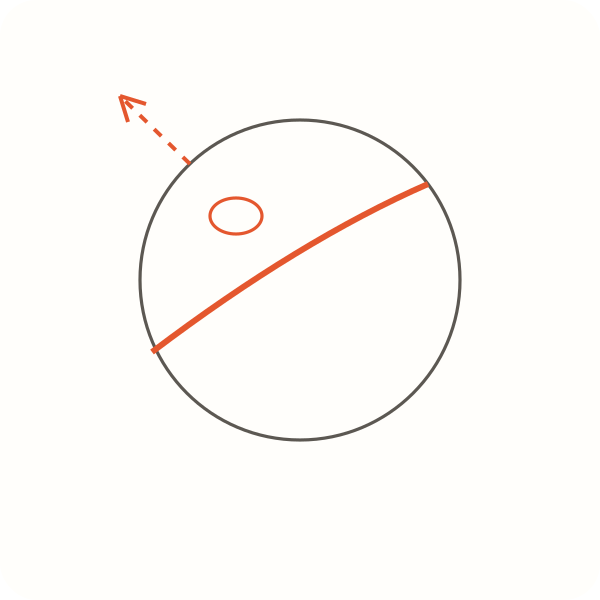
The first track, Light & shadow, goes:
- Value scale (8 min): five boxes from white to black.
- Shaded sphere (15 min): light circle → map the shadow → shade the form → cast shadow.
- Realistic apple (20 min): your first real object, using everything from the sphere.
The Realistic eyes track follows with eye shape, then shading the eye.
Snap a photo, get feedback
After each step, take a photo from straight above. Pip, the pencil coach, checks the drawing and tells you:
- your score (60+ passes)
- what's already working
- up to two fixes, like "the cast shadow is the same darkness everywhere: make it darkest right where the ball touches the table"
You can fix and retake, or move on. Blank or blurry photos don't count against your daily critiques.
Daily sketch and warm-ups
Not every day needs a full lesson. The daily sketch gives you one simple subject (an egg, a mug, cherries) with one instruction and a critique, about five minutes. The warm-up drills get your hand moving with lines, circles and hatching on screen before you pick up the pencil.
Watch yourself improve
Every drawing is saved with its score. The before & after view puts your first value scale next to your latest sphere, which is the best motivation there is. Read more on building a drawing habit.
Is it for you?
Graphite is for adults who want to draw things that look real with a pencil, especially if:
- you've never drawn, or stopped as a kid (learn to draw as an adult)
- you've watched tutorials but your drawings still look flat (why your drawings look flat)
- you only have 10–20 minutes a day
It isn't a digital painting app, and it doesn't do cartoons or anime styles.
Frequently asked questions
How much does Graphite cost?
It's free to download and needs a Graphite Pro subscription: $49.99 a year with a 3-day free trial, or $4.99 a week (US prices). Pro includes all lessons, the daily sketch, drills and up to 50 critiques a day.
Which devices does it run on?
iPhone and iPad with iOS 15.1 or later. It's available in 33 languages.
What pencil should I use?
Any pencil works for the first lessons. An HB for lines and a 2B or 4B for darker shading is a great start. See pencil grades explained.